 Auto Purchase Orders Auto Purchase Orders
 Use the template editor to show purchase order custom fields on generated PO PDFs. Custom fields are shown only when the purchase order has a value for that field.
Use the Details section for short PO custom fields, such as approval status, deposit amount, or shipping account.
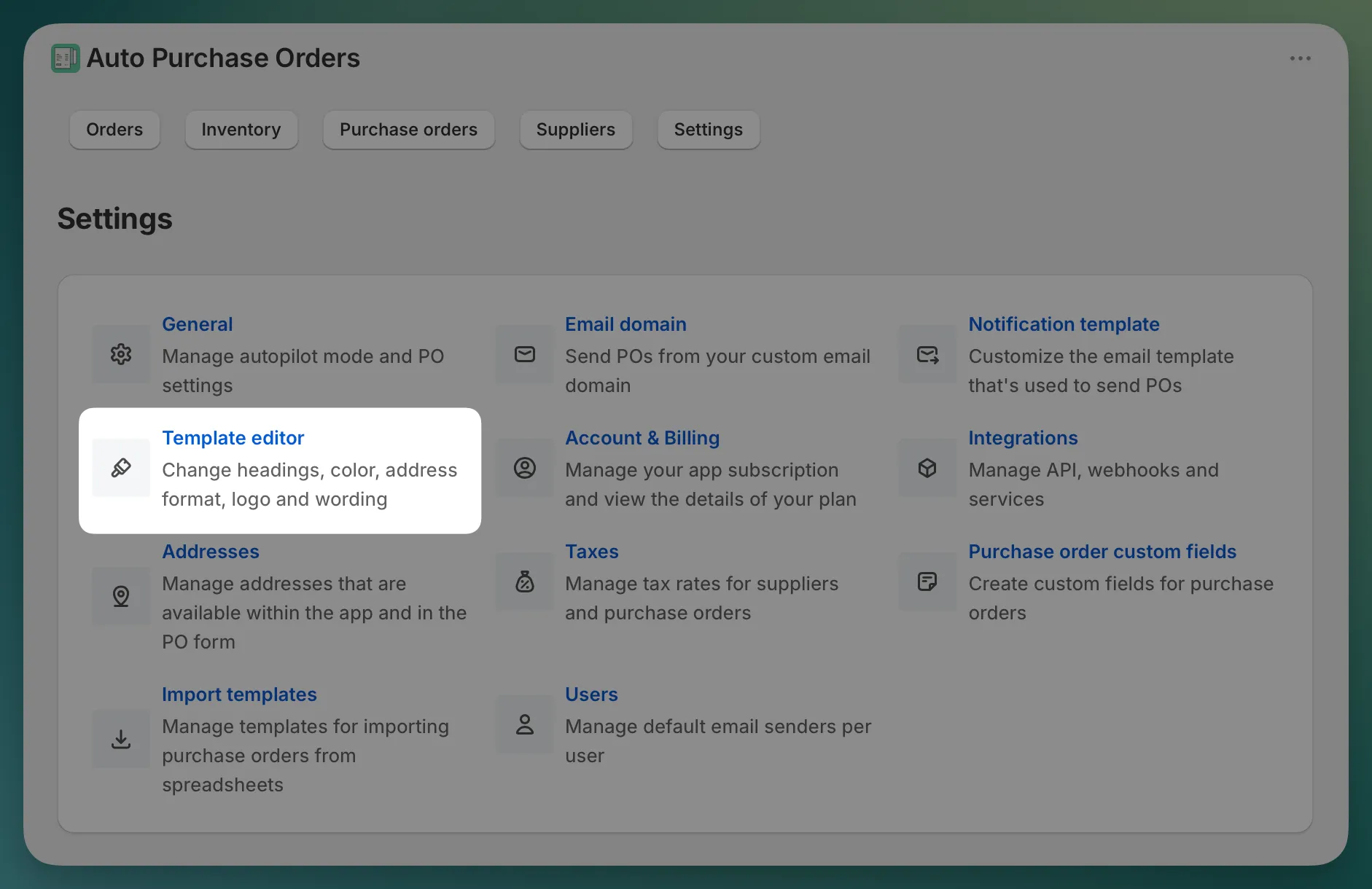
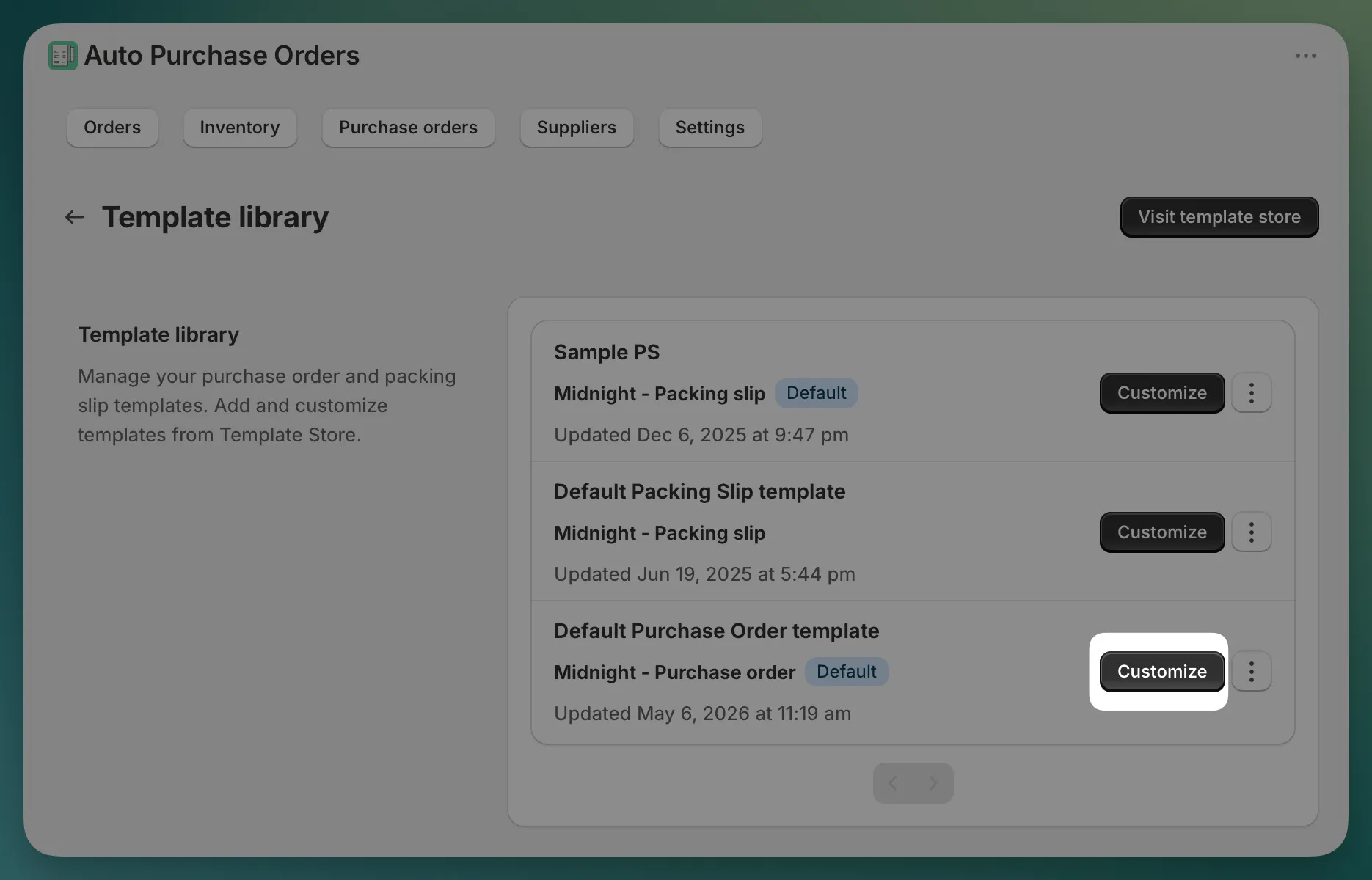
Details section and click on it > select custom field > Add field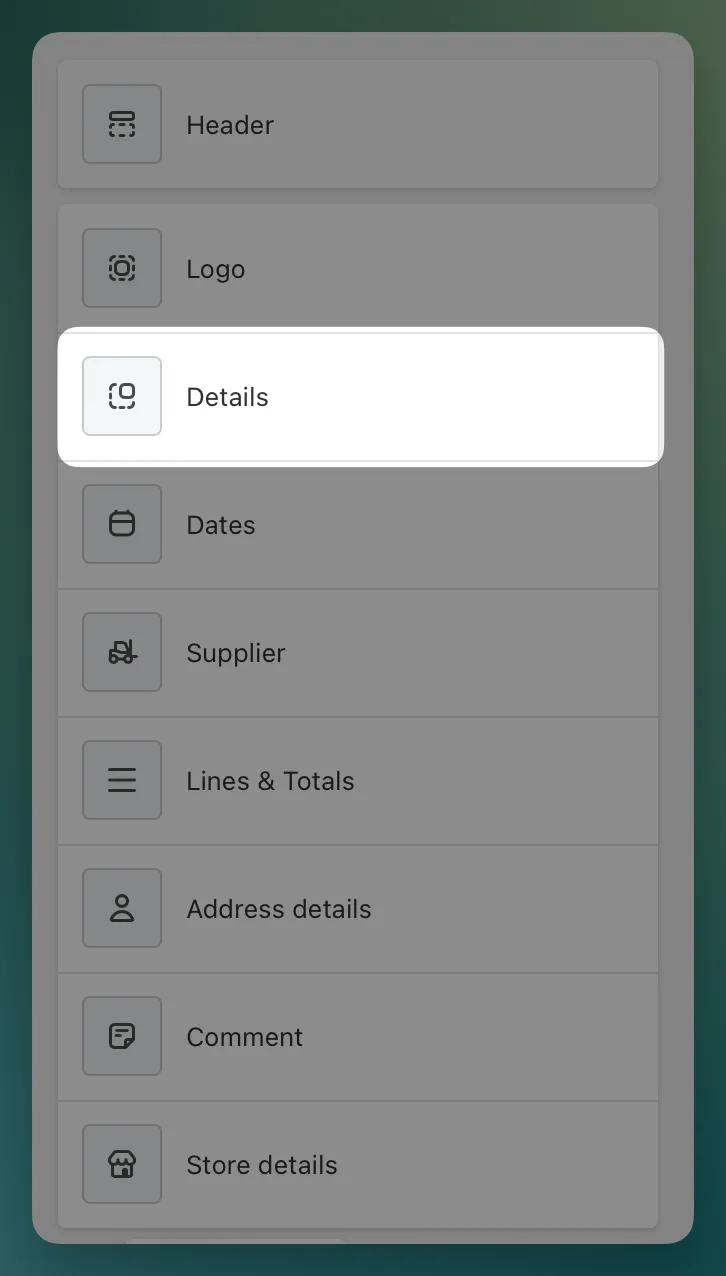
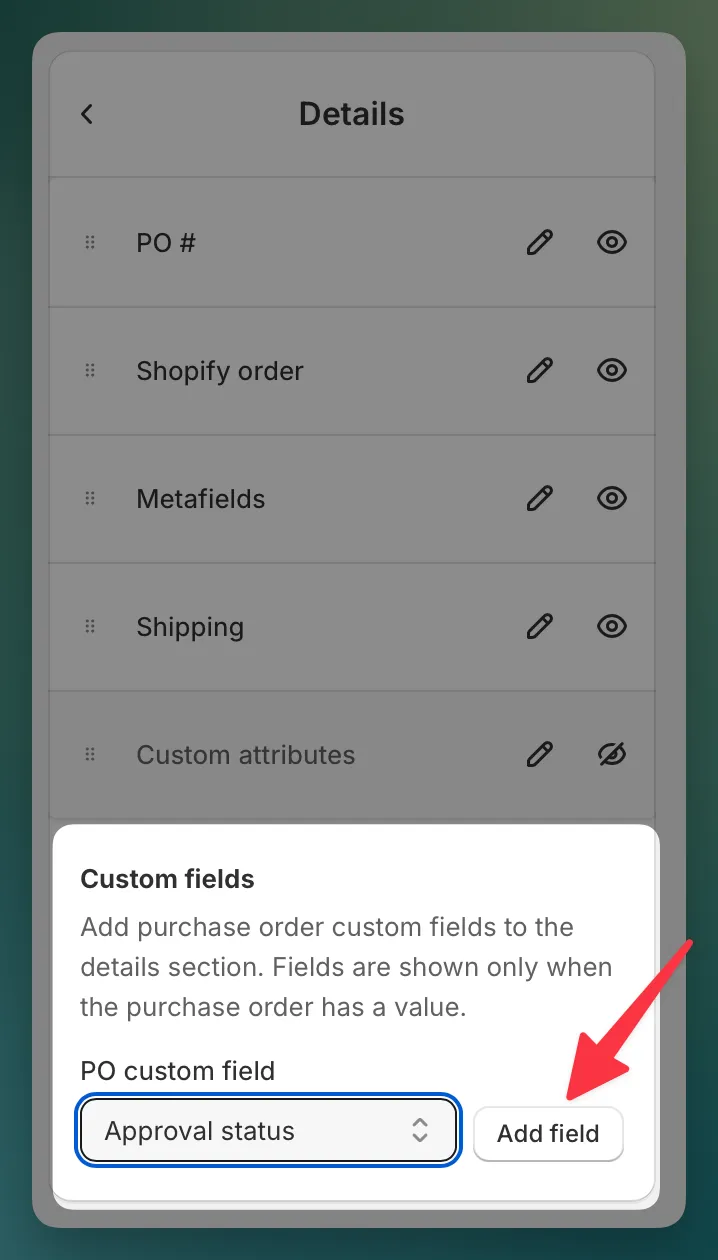
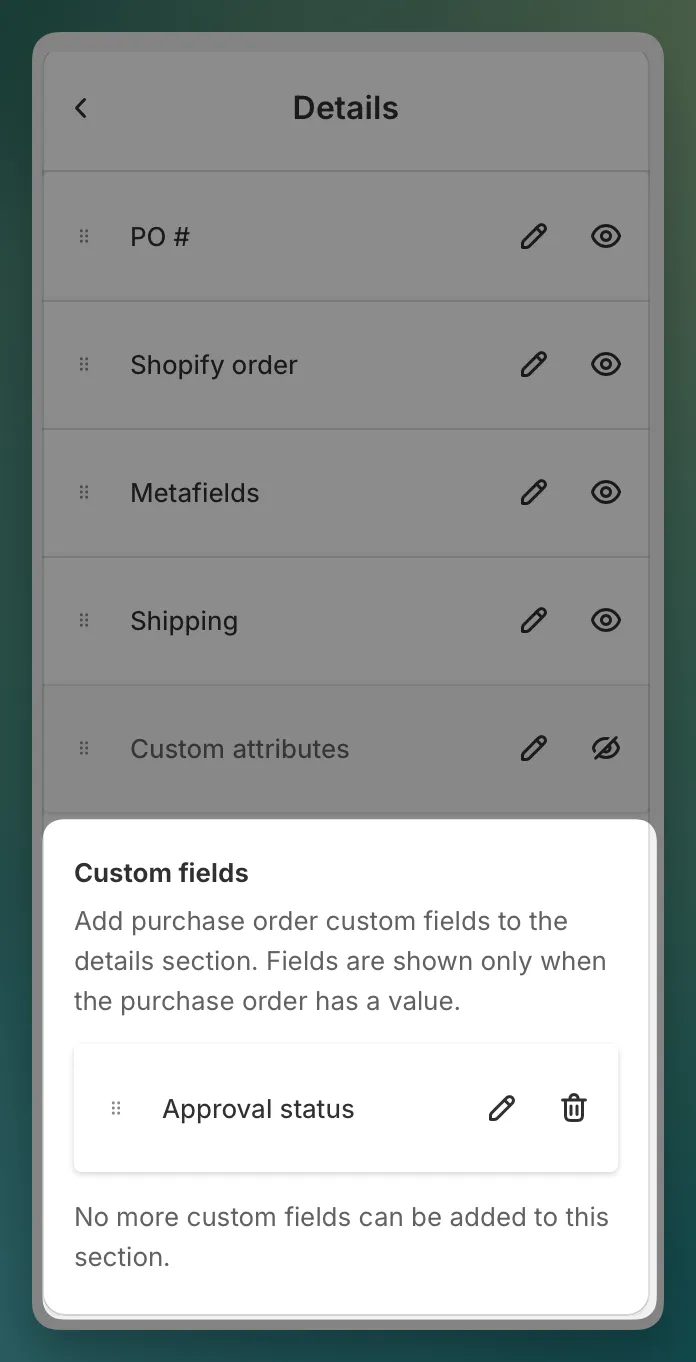
Multi-line text custom fields are not available in the Details section. Add them below the comment instead. In step 3, instead of clicking on Details, click on the “Comment” section.
After adding a custom field to the template, you can adjust how it appears.
Changing the title in the template does not rename the custom field definition. It only changes the label shown on this template.