 Auto Purchase Orders Auto Purchase Orders
 You can automatically add tags to a Shopify order whenever a purchase order is created. To do this, we use Shopify Flow, a free app available on all Shopify plans.
If you haven’t installed it yet, download and install Shopify Flow from the Shopify App Store (link).
Download this flow file and import it to the Shopify Flow app
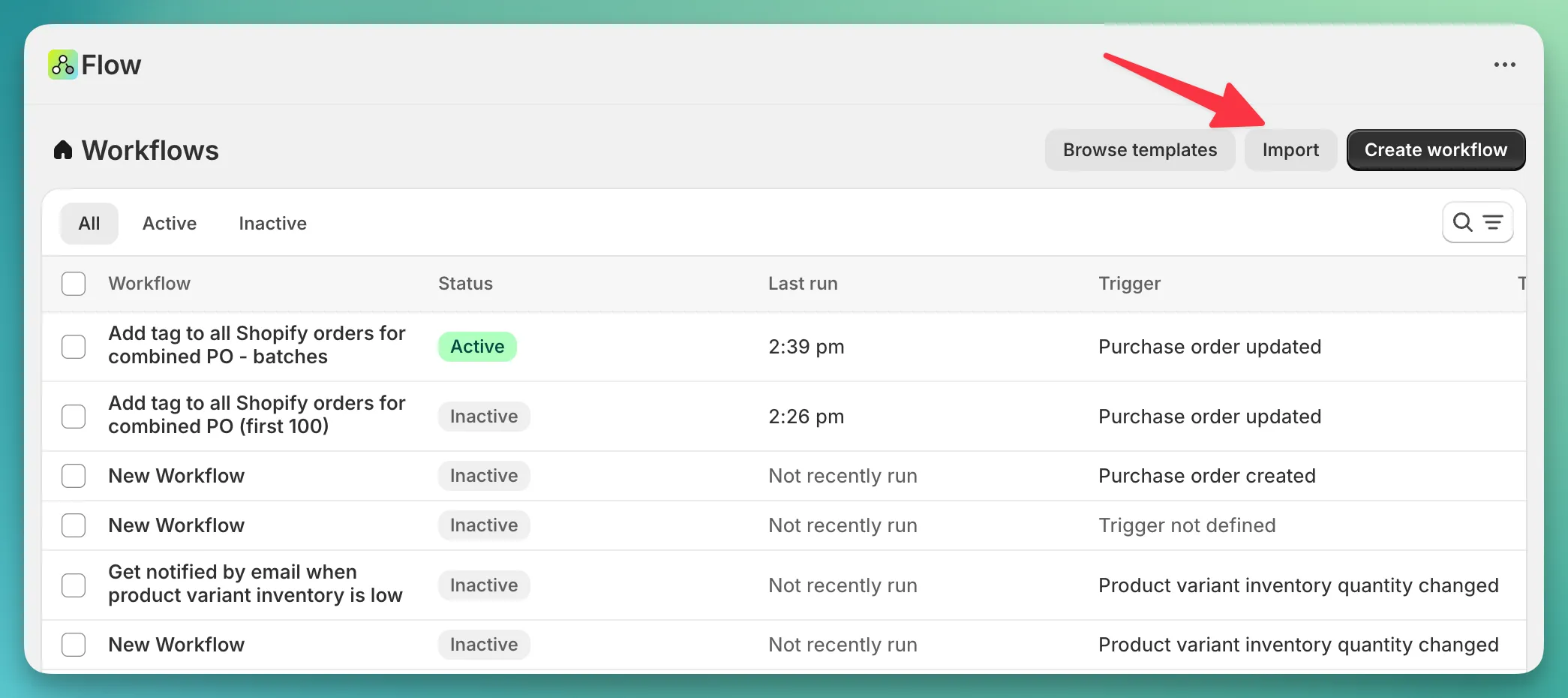
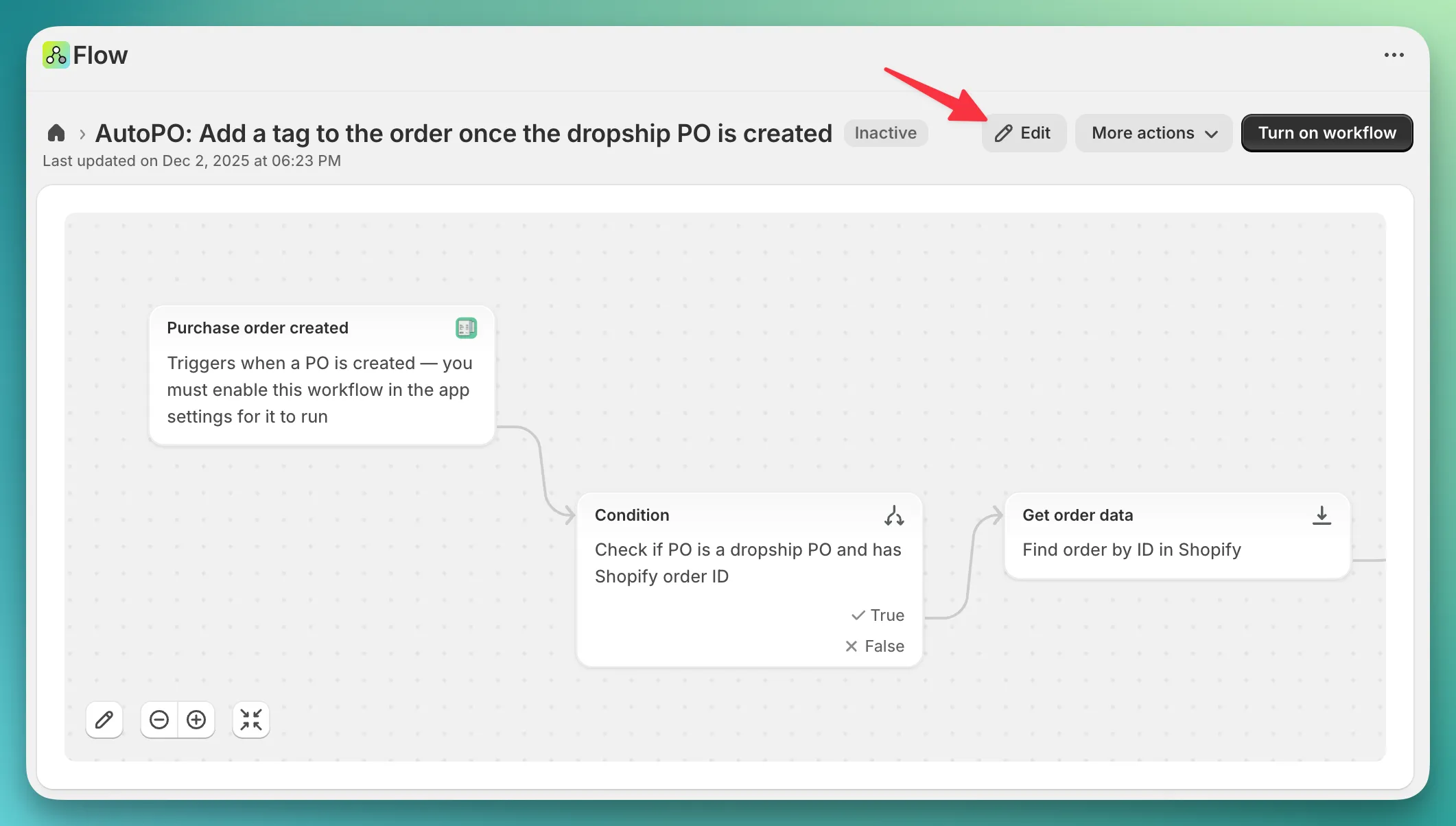
Once you have imported the file, you should see your newly created workflow. Click on it, then click “Edit” button.
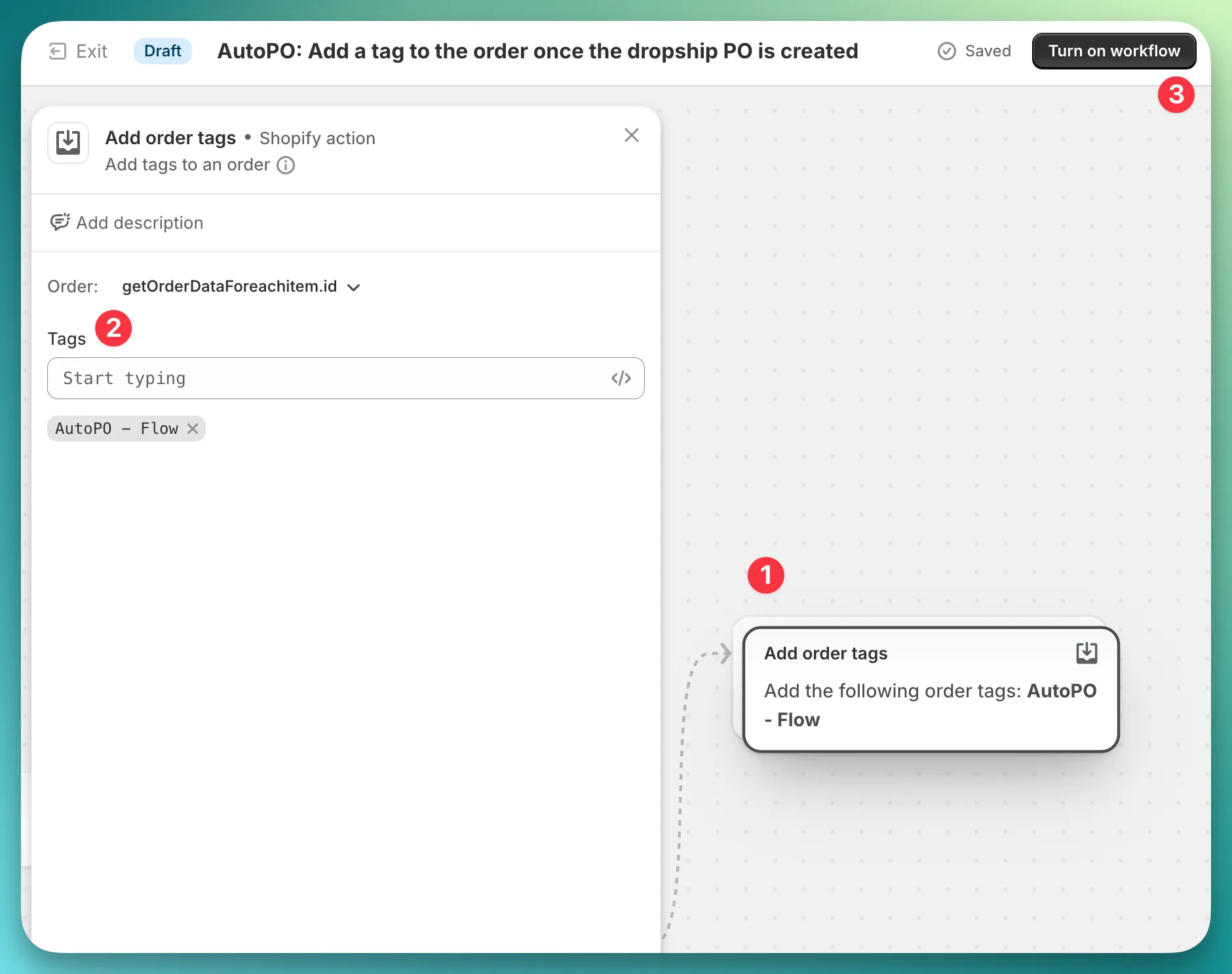
Find the last step in this workflow and click on it (1). In the popover that opens, you can customize the tag or add additional tags.
You can also include Liquid variables in the tag name to make it dynamic based on the PO.
For example, using the string AutoPO - {{purchaseOrder.poNumber}} will produce a tag like “AutoPO - HP0301”, where “HP0301” is the PO number.
Finally, make sure to turn on the workflow (3) — its status should be “Active” after that.