QuickBooks Online
Create QuickBooks Bills or Purchase Orders from AutoPO purchase orders, manually or on PO creation or completion.
- Bills or Purchase Orders
- Manual or automatic sync
- Vendor, tax, and account mapping
Use Auto Purchase Orders to connect Shopify purchase order operations with QuickBooks, Xero, Shopify Flow, API workflows, and signed outbound webhooks.
Choose accounting sync, Shopify-native automation, or developer tools depending on where each purchase order needs to go next.
Create QuickBooks Bills or Purchase Orders from AutoPO purchase orders, manually or on PO creation or completion.
Create Xero bills from Auto Purchase Orders with account mapping, bill status controls, due dates, and tax mappings.
Trigger Shopify Flow workflows when purchase orders are created, updated, or completed.
Create suppliers and purchase orders, list records, receive stock, complete POs, and archive POs from external systems.
Send signed HTTP events when Auto Purchase Orders purchase orders are created, updated, or completed.
Use the table to choose whether each purchase order should create an accounting record, trigger Shopify automation, call a custom API, or notify another system.
| Integration | Best for | Trigger | Output | Setup path |
|---|---|---|---|---|
| QuickBooks Online | Accounting teams that need Bills or Purchase Orders in QuickBooks | Manual sync, PO creation, or PO completion | QuickBooks Bill or Purchase Order | Connect QuickBooks, then map vendor, tax, and account settings |
| Xero | Stores that manage purchase liabilities and costs in Xero | Manual sync, PO creation, or PO completion | Xero bill | Create a Xero app, connect it, then set account and tax mappings |
| Shopify Flow | Shopify-native automation around purchase order status changes | PO created, updated, or completed | Shopify Flow workflow trigger | Choose an Auto Purchase Orders trigger inside Shopify Flow |
| API | Custom systems that create suppliers, create POs, receive stock, or archive records | External app or backend workflow | Supplier and purchase order API actions | Use API key authentication and lifecycle endpoints |
| Webhooks | Event-driven tools that need signed outbound HTTP notifications | PO created, updated, or completed | Signed webhook event payload | Register a topic URL and verify HMAC signatures |
AutoPO integrations are most useful at the moments where PO state changes: creation, updates, receiving, and completion.
When a purchase order is created manually, by automation, or through the API, downstream systems can start their work.
Operational changes can move into Shopify automation, external tools, and custom receiving workflows.
Completion can close the loop with accounting records, warehouse jobs, team notifications, and custom systems.
Create accounting-side records without treating purchase order work as a separate spreadsheet process.
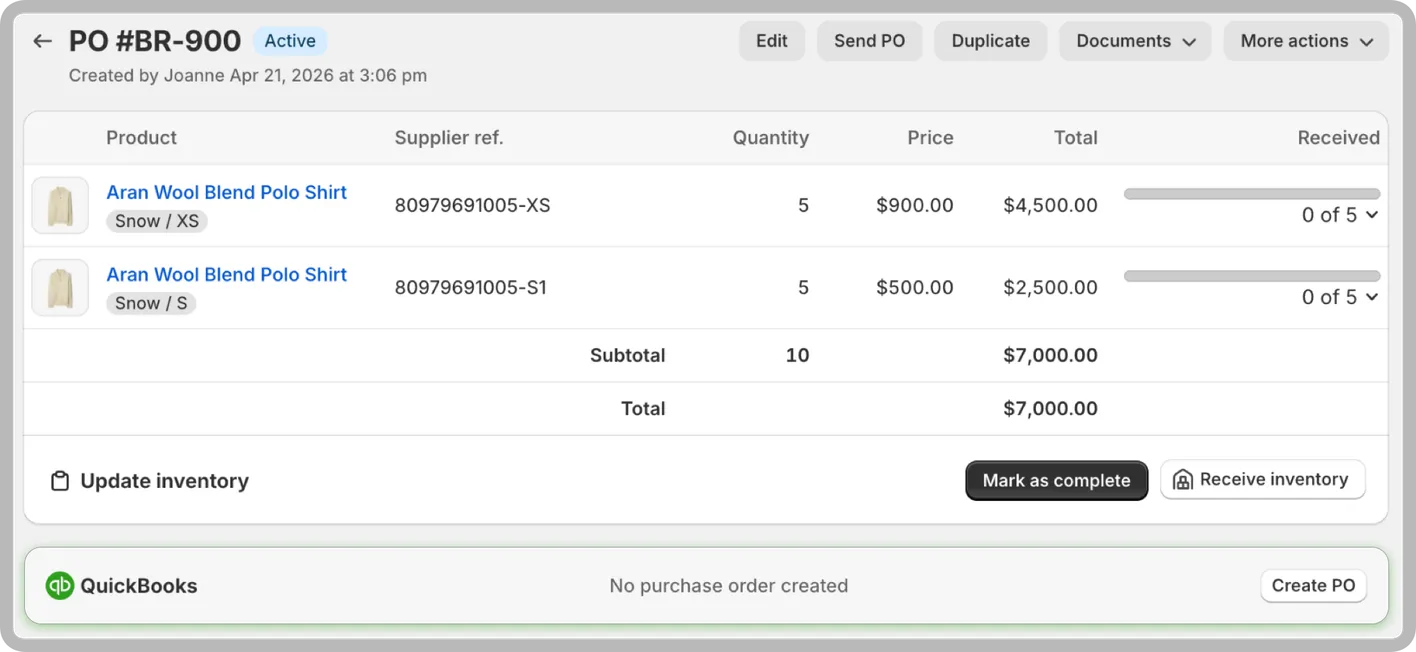
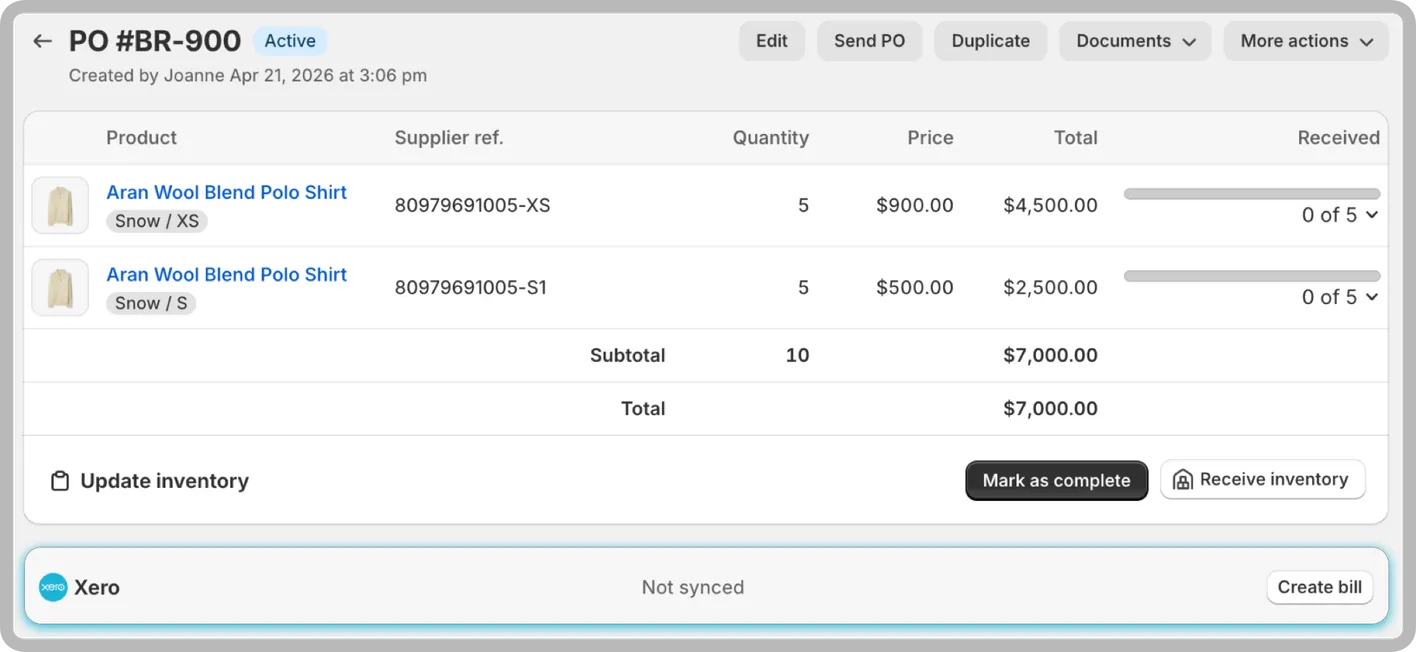
Use Shopify Flow for native Shopify workflows, and use API or webhooks when external systems need structured purchase order data.
Yes. Auto Purchase Orders can create QuickBooks Online Bills or QuickBooks Purchase Orders from AutoPO purchase orders, manually or automatically on PO creation or completion.
Yes. Auto Purchase Orders can create Xero bills from purchase orders with account mapping, tax mapping, due date settings, and manual or automatic sync.
Yes. Shopify Flow workflows can trigger when purchase orders are created, updated, or completed.
Yes. The API supports supplier and purchase order workflows, including creating suppliers, creating and listing purchase orders, receiving stock, completing POs, and archiving POs.
Yes. Auto Purchase Orders can send signed outbound HTTP events for purchase order create, update, and complete topics.